
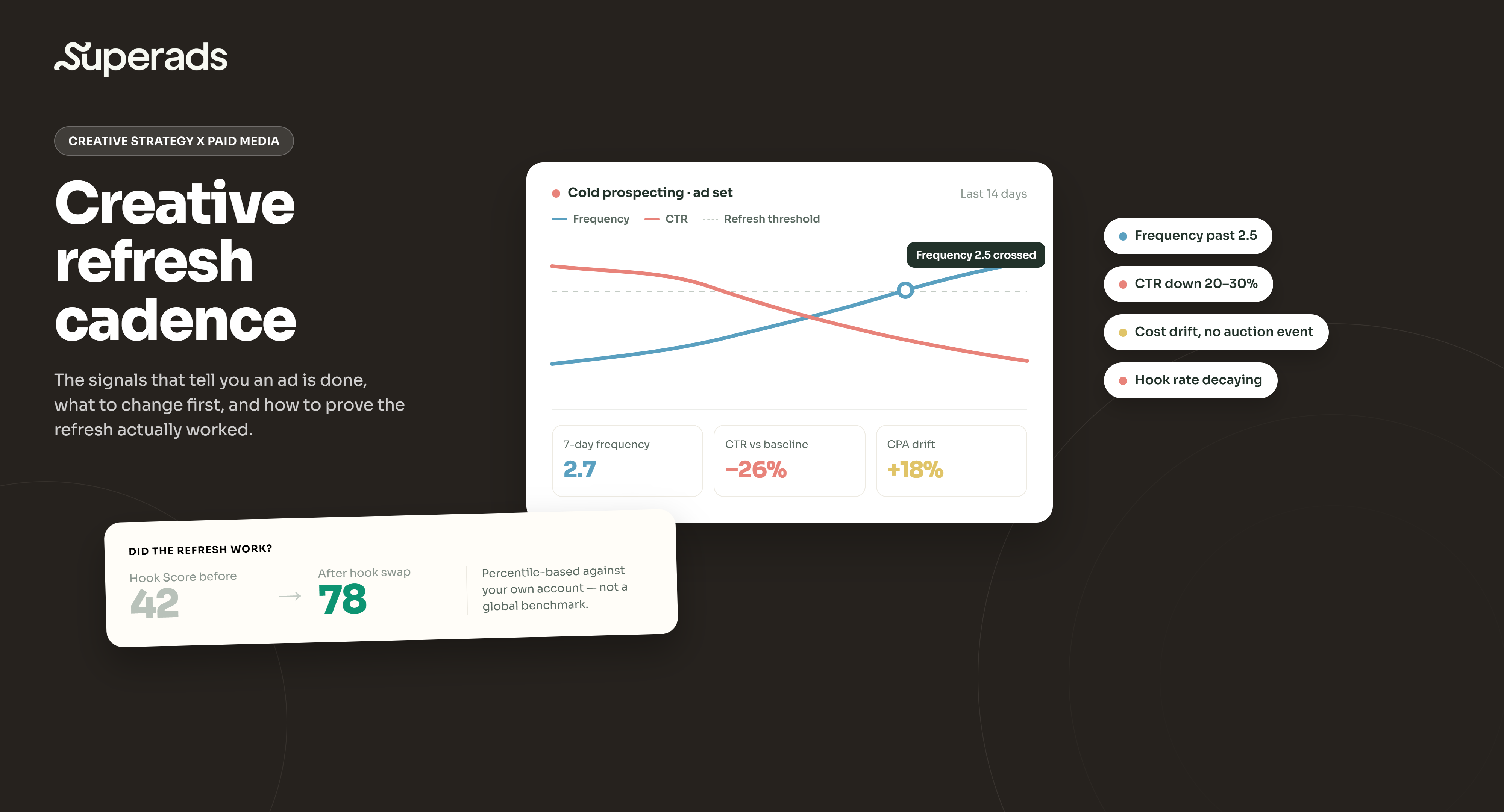
Creative refresh cadence isn’t a calendar but a set of signals: frequency crossing 2.5 on cold prospecting, CTR down 20–30% from your baseline over 3–7 days, and CPA climbing without an obvious auction event to explain it. What you refresh matters more than when: hooks fatigue first, then visual style, then messaging angles. And the piece most teams skip entirely is measuring whether the refresh actually worked, which is where a creative analytics platform like Superads earns its place next to Ads Manager.
Every performance marketer has had this week. Reporting on Monday looks fine. By Wednesday, CPM is up. By Friday, CPA has drifted 30% off baseline and the ad set that carried the campaign for three weeks is quietly bleeding budget. Nobody made a change. The creative just… fatigued.
The instinct is to ask "how often should I refresh my ads?" and go find a benchmark. The problem is that most published benchmarks are wrong, or at least wrong for your account. A creative that stays fresh for 30 days at $10k in monthly spend can burn out in a week at $100k against the same audience. Meta's Andromeda ranking system weights creative signals harder than the previous generation of the algorithm, which means concepts that used to run six weeks now burn through their audience in two or three. And that is before we get to TikTok, where an ad can lose 40% of its engagement rate overnight.
Creative refresh cadence, done well, is not a fixed interval. It is a system of signals plus a hierarchy of what to change plus a way to prove the refresh actually helped. This article walks through the signs your creative is done, which elements to refresh first, what a sensible cadence looks like on Meta (with quick notes on TikTok and LinkedIn), the principles that hold across platforms and how Superads fits into measuring whether a refresh moved the needle at all.
What is creative refresh cadence?
Creative refresh cadence is the operating rhythm at which you rotate, replace or update the creative elements of your paid media creative. It sits between two related but distinct concepts.
The first is creative testing, which is what you do to generate insight — running distinct concepts, hooks or executions to learn what resonates with an audience. The second is creative fatigue management, which is what you do when a proven winner starts losing its edge. Refresh cadence is the connective tissue: it is the ongoing discipline of ingesting fatigue signals, deciding what to change and when, and feeding the algorithm fresh assets built on validated insights.
The reason it matters more than it did three years ago is structural. Audience targeting has been flattened by privacy changes. Meta and TikTok both push broad targeting by default.
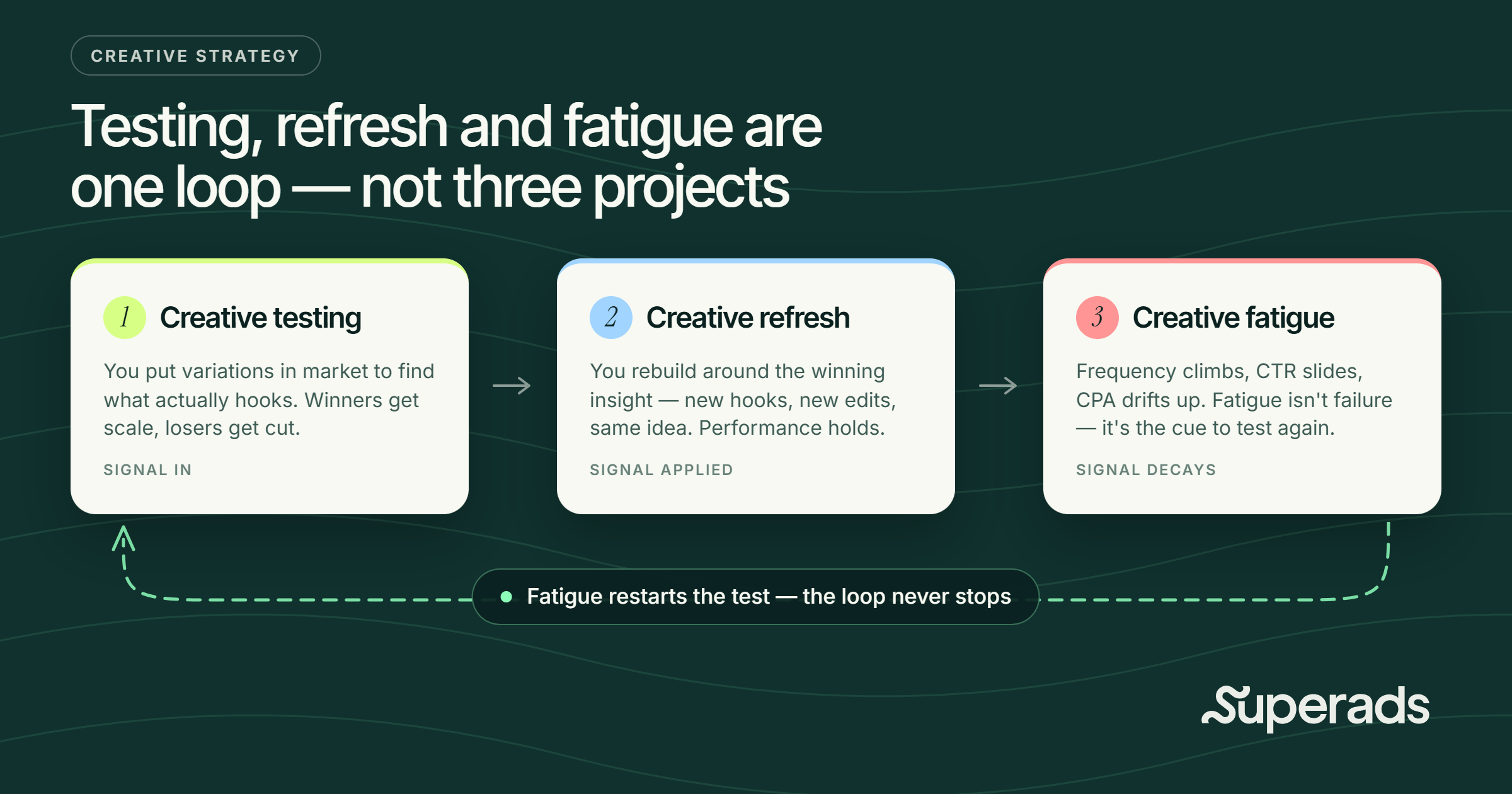
The algorithm is doing most of the media-side heavy lifting, and creative is now the biggest variable performance marketers actually control. Nielsen's 2023 analysis of nearly 450 CPG campaigns put creative at 49% of sales lift. When creative is that much of the equation, letting it fatigue is one of the most expensive mistakes a team can make, reflected in your CPG analytics dashboard.
5 signs it's time to refresh your creative
Rather than asking "has it been three weeks?", watch for a compound signal. Three metrics moving together tell you the creative is done. One moving alone usually points to something else (audience saturation, targeting mismatch, seasonal shift).
- Rising frequency. On Meta, industry benchmarks put the watch line for cold-audience prospecting around a 7-day frequency of 2.5. Retargeting audiences tolerate more — 5.0 to 7.0 is common before fatigue sets in — but anything past 6.0 is well into the risk zone. Meta's own research indicates conversion likelihood drops by roughly 45% after 4 exposures of the same ad. On TikTok, a 7-day frequency past 2.0 is already worth attention. Frequency is a leading indicator: it does not confirm fatigue on its own, but it tells you fatigue is coming.
- Declining click-through rate. CTR is the earliest reliable confirmation. When CTR drops 20–30% from the creative's own baseline over 3–7 days on Meta (faster on TikTok, slower on LinkedIn) while frequency is rising, fatigue is arriving. This is where CTR becomes what one operator called "the canary in the coal mine" — it goes before engagement rate, before conversion rate, before CPA. Waiting for CPA to move is waiting a week too long.
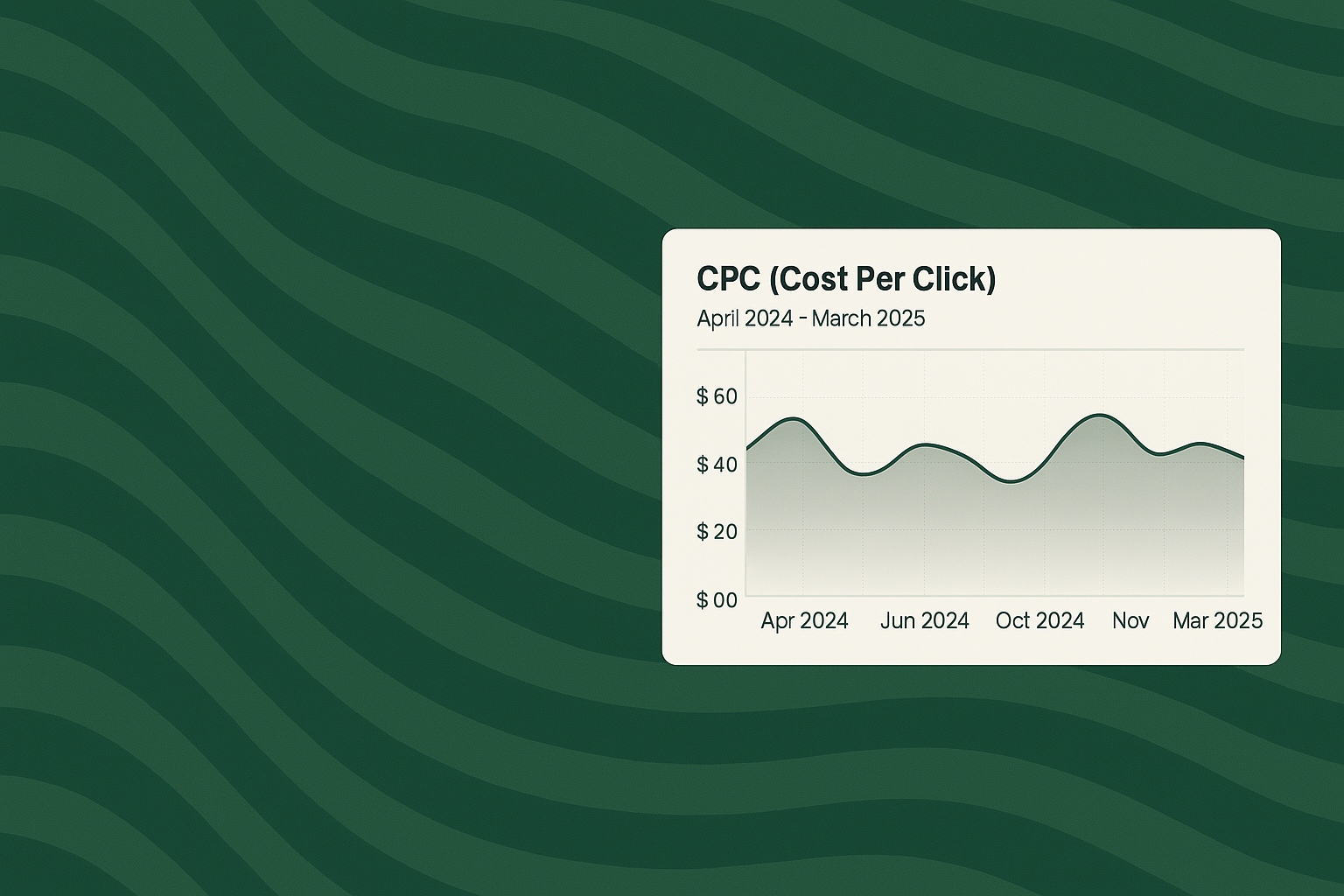
- Cost drift with no auction event. If CPM creeps 15–20% and CPC climbs 30% without an obvious cause (no new competitor, no budget expansion, no audience change), the algorithm is telling you it is working harder to place your creative. That is a fatigue signal, not a bidding problem. AdEspresso data has consistently shown ad fatigue leads to a 35% CTR decrease and a 20% CPC increase over time.
- Creative-level engagement decay. For video, hook rate and hold rate are your earliest reads. If hook rate is dropping but hold rate is stable, the opening is fatigued and the rest of the creative is still working — a hook swap likely fixes it. If hold rate is dropping too, the concept itself is losing.
- Meta's own Creative Fatigue tracker. Meta rolled out a Creative Fatigue label in Account Insights that flags ads when cost per result climbs 2x above historical performance. Useful as confirmation, but by the time Meta shows you the flag, you have already lost budget to declining performance. It is a lagging indicator. Refresh before it lights up, not because it lit up.
Which creative elements to refresh first
Not every refresh needs to be a full rebuild. Ads are more like modular systems than monolithic pieces, and the elements inside them fatigue at very different rates. The efficient refresh strategy is to work in a hierarchy, starting with the highest-impact, lowest-cost changes.
- Hooks (highest impact, fastest fatigue). The first 2–3 seconds of a video or the opening line of a static ad are what fatigues first. If hook rate is dropping but hold rate is holding steady, you have your answer: the concept still works, the opener does not. A single new hook can extend a proven creative by weeks. This is the change most media buyers reach for first because it is fast, cheap and reversible.
- Visual style and format. After hooks, the next most impactful change is the visual treatment: UGC-style versus polished brand, static versus motion, product close-up versus lifestyle context, day versus night, warm versus cool palette. You are keeping the core value proposition intact and refreshing the execution. This works well when a concept has been validated but the specific ad is fatiguing.
- Messaging angle. If both hook and visual refreshes stop working, the underlying angle has fatigued. Most products have multiple credible value propositions — speed, quality, price, ease, status. Rotating between them is a bigger swing than a hook swap, but it gives an entirely new frame for the audience.
- Format switch. If everything above has been tried and performance is still off, the format itself may be at its limit. Static-only accounts benefit from adding video, video-heavy accounts sometimes see a lift from static, and carousels are chronically underused. This is closer to a rebuild than a refresh, but it is often the right move when a concept has been in market for months.
- Lower-impact changes to skip until last. CTA button text, minor color tweaks, background elements and font changes rarely move performance meaningfully. They can be tested for optimization once you have re-established a baseline, but they should not be the first refresh you reach for when a campaign is drifting.
NOTE: Change one element per refresh, so you learn what worked. Changing everything at once feels productive but generates ambiguous data.
What a sensible refresh cadence looks like on Meta (with cross-platform notes)
The honest answer is that any number attached to a refresh cadence is a starting point, not a rule. Cadence is a function of spend, audience size and platform dynamics, all of which vary account to account.
That said, some rough guidelines are useful as a starting frame.
Meta (Facebook and Instagram)
For most accounts, plan to introduce fresh creative every 1–2 weeks on high-spend, narrow-audience campaigns and every 2–4 weeks on lower-spend or broader-audience campaigns.
Confect.io research found top-performing ads lose roughly 38% of their effectiveness after just five weeks running unchanged, and for average campaigns that drop reaches 53% by week eight.
Small audiences (under 100k) burn faster; large audiences (500k+) run longer. On Reels and Stories specifically, refresh when 7-day frequency hits 3.0 — those formats fatigue faster than feed placements.
TikTok Ads
The published guidance across paid social operators converges on refreshing every 3–7 days. TikTok's own creative guidance frames it as refreshing "when delivery results exhibit a consistently declining trend," which in practice is fast.
TikTok data indicates campaigns with 10 or more unique creatives in North America see 1.3x higher ad recall and 3x higher purchase intent than those with under 5. The rhythm here is closer to weekly than biweekly.
LinkedIn Ads
LinkedIn ad fatigue builds more slowly because the platform's audience pools are more defined and the professional context keeps engagement patterns more predictable.
Every 2–4 weeks is a reasonable frame, and for retargeting campaigns, industry practitioners target 5–10 impressions per user over 90 days as the healthy zone.
The pattern across platforms: speed of fatigue correlates with speed of scroll. TikTok is the fastest, Meta in the middle, LinkedIn slowest. But the diagnostic signals (frequency, CTR, cost drift, engagement decay) work the same way across all three.
Principles that hold across every cadence
Whatever the exact interval, five principles separate the teams that refresh well from the teams that either refresh too aggressively (burning production budget and generating noise) or too slowly (paying a fatigue tax on drift-heavy campaigns).
- Refresh on signals, not on the calendar. Fixed monthly refreshes are easy to schedule and consistently wrong. Some creatives will need to be replaced sooner; some will still be printing money at week six. A signal-driven cadence — refresh when frequency + CTR + cost drift move together — outperforms any calendar rule.
- Change one variable at a time. As covered in the elements section, single-variable refreshes generate learnings you can apply to the next brief. Multi-variable refreshes generate ambiguity.
- Keep a hook library. Winning teams maintain a rotating library of 10–15 hooks that have been validated in their own account. When a hook fatigues, you pull from the library rather than starting from a blank brief. That collapses the refresh cycle from weeks to days.
- Segment audiences to slow the burn. Excluding recent converters, splitting engaged from cold audiences, and using frequency caps where the platform allows are all ways to reduce the amount of raw creative production a team needs. The audience-level move buys you time between refreshes.
- Refresh at the concept level periodically. Hooks and visuals can be swapped inside a validated concept for weeks or months. But eventually the concept itself fatigues, and a fresh angle is needed. Concept-level refreshes are less frequent (roughly every 8–12 weeks on most accounts) but they are what keeps the whole system compounding rather than churning.
How to measure whether a creative refresh actually worked
This is the step almost every team skips, and it is the one that separates a refresh strategy from a refresh guess.
Swapping a hook and seeing CTR climb the next day is not proof the refresh worked. The algorithmic delivery bias that distorts A/B testing also distorts refresh reads. A new creative gets a delivery boost in its first 24–48 hours because the algorithm is exploring. If you call the refresh a win at day two, you may be reading a bump, not a lift.
A great refresh measurement setup looks like this:
- Set a pre-refresh baseline. Before you swap creative, record the last 7 days of CTR, CPC, CPM, frequency and CPA for the ad or ad set you are refreshing. That is your comparison anchor.
- Give the refresh a full learning window. For Meta, 3–7 days is the useful window before you make a real call. Anything shorter and you are reading noise from delivery optimization.
- Compare on creative-level metrics, not just campaign-level. Campaign-level CTR blends every ad and every audience. Creative-level metrics tell you whether the specific new hook or the specific new visual is doing the work.
- Use percentile-based scoring against your own account. A CTR of 1.5% might be great for a B2B account and mediocre for a DTC one. What matters is whether the refreshed ad ranks in the top 20% of your own historical performance on that dimension. Absolute numbers lie across categories; percentile ranks against your own account do not.
- Check the fatigue trajectory, not just day-one lift. A good refresh does not just spike CTR on day one — it holds a healthy CTR for the next 10–14 days without frequency climbing past your threshold. Measure the slope, not the point.
- Track by creative element, not just by ad ID. If you refreshed the hook on three different visuals and one worked, the takeaway is not "ad 4a5 was a winner." The takeaway is "hook variant B is a winner and should be tested on more visuals." Element-level attribution is how you build a compounding creative advantage.
Ads Manager will tell you an ad's CTR is up. It won’t warn you the hook-level percentile lift against your own account's historical baseline over the last 12 months. That is where a purpose-built creative analytics platform comes in.
How Superads makes refresh cadence measurable
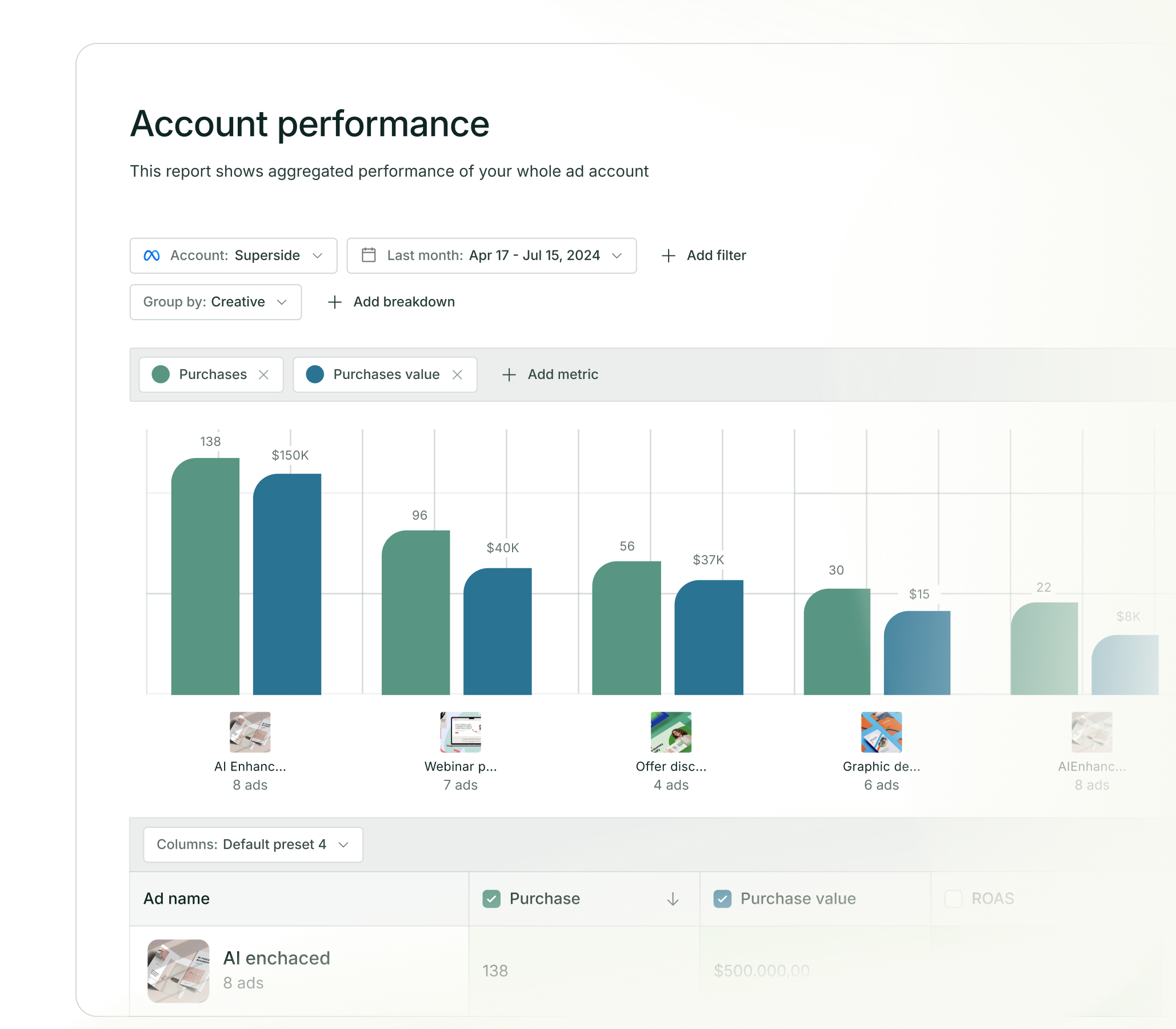
Superads is built for exactly this workflow. It connects to your Meta, TikTok, LinkedIn and Google Ads (in beta) accounts through the official APIs, syncs your data within 24 hours of it being available in the native platform, and gives you a creative-level view that answers refresh questions in one place.
Three parts of the product line up directly with the refresh workflow.
- Superads Scores. The five Scores — Hook, Hold, Click, Engagement and Conversion — are percentile-based against your own account, not global benchmarks. A Hook Score of 60 means the ad outperforms 60% of your other ads on that dimension. When you refresh a hook, the Hook Score on the new variant tells you within a few days whether the change moved you up or down the percentile band. That is the fastest, cleanest way to answer "did the refresh work?" without waiting two weeks for CPA to stabilize.
- AI tagging. Superads AI automatically classifies your creatives by hook type, visual style, format and content creator. That means when you refresh a hook, you can see whether "curiosity-driven hooks" as a category are outperforming "problem-statement hooks" as a category — across every ad, every campaign, every platform. It turns single-refresh decisions into pattern-level intelligence.
- Ask AI on any open report. The conversational layer answers questions like "which of my ads have declining Hook Scores this week?" or "did my last refresh improve CTR versus baseline?". It is not a replacement for the analysis, but it collapses the 20-minute Ads Manager dive into a 20-second question.
Our ROAS has definitely improved.
Superads makes our analytics crystal clear, helps us understand them, and lets us effectively create and measure content.

Together, this is the missing measurement layer between "we refreshed the creative" and "we know it worked." The free plan covers a single connected report with 30 days of history, which is enough to run the loop on one ad account.
The Pro plan opens up 12 months of history, AI tagging, Ask AI and multi-account reports — which is where teams running real spend land.
Always be campaign-ready with Superads
The teams that refresh appropriately aren’t the ones with the biggest creative teams or the tightest weekly production schedule. They are the ones with a signal-driven cadence, a hierarchy of what to change and a measurement layer that tells them whether the refresh actually moved anything.
Everything else is guessing at intervals.
If this is not what you want to happen to your paid social campaigns, it’s time you move to Superads.
Sign up today to learn more.
FAQs
Improve your clients' ROI
Track multiple accounts in just one place.
Tailored for your agency's needs. Optimize with AI.
Facebook Benchmarks
Check out fresh CPC, CPM, CTR
Facebook Ads data.
Filter by industry, country or
campaign type.

Improve your ad campaigns
With the only AI-powered creative insights tool
built for modern marketers.


